Voicemaker
Voicemaker is a web-based AI text-to-speech (TTS) tool that converts text into natural-sounding speech. It offers more than 2,000 AI voices in over 130 languages and accents, with multi-speaker support, voice cloning, speech-to-speech conversion, a pronunciation editor and export options such as MP3/WAV. There is also a Voicemaker API for developers, which works on a pay-as-you-go model. It suits people producing video, podcast, audiobook and advertising content; the free plan is limited (250 characters per conversion), and paid plans start at $5 per month.
Tool Details
| Category | Media / Audio & Music |
| Website | voicemaker.in |
| Tags | TTS, audio, AI, API |
What is Voicemaker?
Voicemaker is a web-based AI text-to-speech tool that turns typed text into natural-sounding speech. The site advertises more than 2,000 AI voices across roughly 130 languages and accents. It makes it easy to produce voiceovers for videos, lessons or ads without a recording studio.
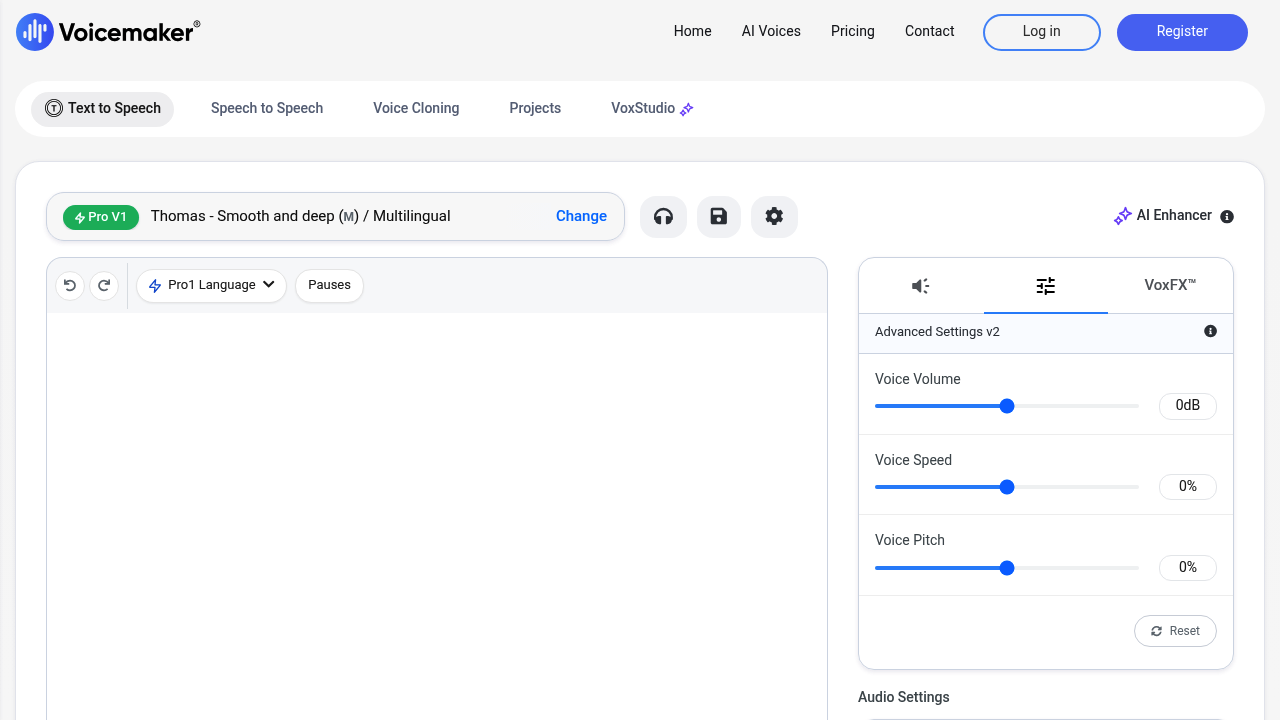
You paste your text into the editor, pick a language and voice, and fine-tune delivery with speed, pitch, volume, pauses and emphasis. You can also control how dates, times and numbers are read. Results download as MP3, WAV, OGG, AAC and other formats at different sample rates, with optional SRT or TXT subtitle files.
Beyond TTS there is speech-to-speech voice conversion, voice cloning, AI dubbing and VoxStudio, which bundles stem splitting, voice isolation and voice effects. Developers can use a pay-as-you-go API.
Key Features
- 2,000+ AI voices in about 130 languages.
- Speed, pitch, pause and emphasis controls.
- Exports MP3, WAV, OGG, AAC and more, plus SRT subtitles.
- Speech-to-speech conversion and voice cloning.
- VoxStudio for stem splitting, voice isolation and effects.
- Pay-as-you-go developer API.
Voicemaker is listed among the digital tools in the Media category.
Who Is It For?
Voicemaker suits YouTube and social media creators, e-learning authors, podcast and audiobook producers, and developers adding voice to apps. Examples: narration for a faceless YouTube channel, voicing a training video in several languages, or auditioning a few voice options for an ad script.
Pricing
The free plan requires email verification and is limited to 250 characters per conversion with a restricted voice library. Individual plans are Starter ($5 a month, 200,000 credits), Creator ($10, 500,000 credits) and Pro ($20, 1,000,000 credits). There are also Teams and Business plans, a yearly audiobook and podcast plan, and enterprise options. The API is billed separately by usage.
Pros
- Huge selection of voices and languages.
- Fine-grained control over delivery.
- Low-cost paid plans.
Cons
- 250-character limit on the free plan.
- Premium voices burn more credits.
- Quality varies noticeably between voices and languages.
Frequently Asked Questions
Is Voicemaker free?
Yes, there is a free plan limited to 250 characters per conversion and a smaller voice library. Paid plans start at $5 a month.
How many languages does Voicemaker support?
Voicemaker advertises around 130 languages and accents, with exact numbers varying by plan and model.
How do I use Voicemaker?
Paste your text, choose a language and voice, adjust speed and pauses, then convert and download the audio as MP3 or WAV.
Details checked against the official website as of November 2026. Pricing may change.
Alternatives in Media
Similar tools you can try besides Voicemaker