VEED
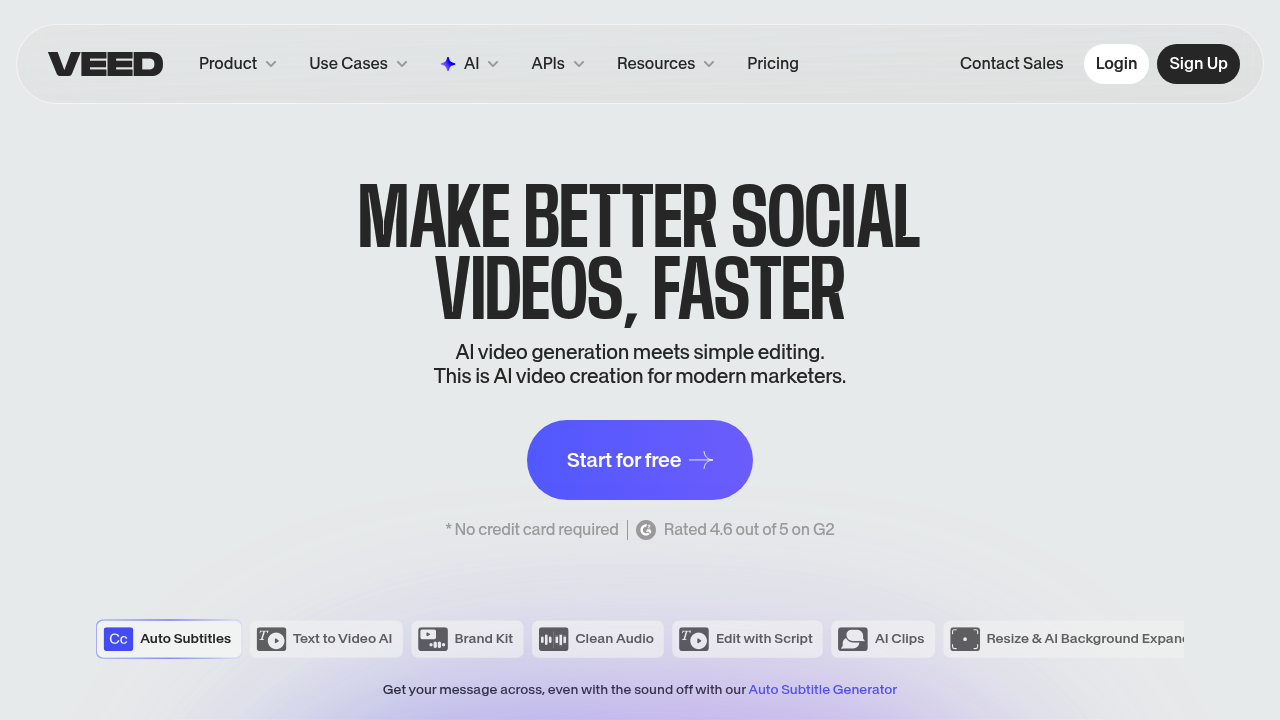
AI video editing platform. Features include captioning, translation, background removal, and automatic cuts.
Tool Details
| Category | AI / Video Generation |
| Website | veed.io |
| Tags | AI, video, editing, subtitles |
What is VEED?
VEED is a browser-based video editor with a large set of AI tools. There is nothing to install: you upload a clip and trim, merge, add text or music right in the browser. Its best-known feature is automatic subtitles, which transcribe speech and turn it into styled captions on the video.
Beyond editing, VEED offers video translation and AI dubbing, text-to-speech and voice cloning, background noise removal, video background removal and eye-contact correction. A screen and webcam recorder, a teleprompter, and a compressor and converter are built in too. Its Gen-AI Studio covers AI avatars and text-to-video or image-to-video generation, using VEED's own Fabric model alongside third-party models such as Sora, Veo and Kling. A brand kit keeps your logo, colors and fonts consistent across videos.
Key Features
- Automatic subtitles with customizable caption styles.
- Video translation and AI dubbing, with translation into 50+ languages on Pro.
- Background removal for video and images, plus audio noise cleanup.
- Screen recorder, webcam recorder and teleprompter.
- AI avatars, text-to-speech and text-to-video generation.
- Brand kits for logos, colors and fonts.
VEED is listed among the digital tools in the AI category.
Who Is It For?
VEED suits social media creators, marketing teams, educators and companies producing internal training videos. A creator can add eye-catching captions to Reels or TikToks in minutes, a marketing team can translate and dub a product video for another market, and a teacher can record a screen-share lesson and edit it in the same tool.
Pricing
According to VEED's official plans page, a free plan is still available, but exports carry a watermark and subtitles are capped at 10 minutes a month. Creator costs $25 per seat monthly or about $12/month billed yearly, and Pro costs $45 monthly or about $22/month billed yearly. Every plan includes a monthly AI credit allowance, larger credit tiers cost extra, and Enterprise is priced by sales. Pricing is per seat, varies by region and changes fairly often, so confirm current figures on veed.io/pricing.
Pros
- Runs entirely in the browser with no install.
- Subtitles, translation, dubbing and recording tools in one place.
- Quick to learn for people without video editing experience.
Cons
- The free plan adds a watermark and allows very little subtitle time.
- Per-seat pricing gets expensive as a team grows.
- AI features run on credits that reset each cycle and don't roll over.
Frequently Asked Questions
Is VEED free?
There is a free plan, but videos are watermarked and auto subtitles are limited to 10 minutes a month. Watermark-free exports and unlimited subtitles need Creator or Pro.
Does VEED have a free trial for paid plans?
VEED says paid trials are offered only to enterprise customers with at least three users. Everyone else can start on the free plan and upgrade.
How do I add subtitles with VEED?
Upload your video, open the subtitles tool and let VEED auto-transcribe the audio. Review and edit the text, pick a caption style and export.
Details checked against the official website as of November 2026. Pricing may change.
Alternatives in AI
Similar tools you can try besides VEED