OpenCode
AI-powered open-source coding tool. Speed up writing, editing, and debugging code with its terminal-based interface.
Tool Details
| Category | AI / Code Assistants |
| Website | opencode.ai |
| Tags | AI, coding, terminal, open source |
What is OpenCode?
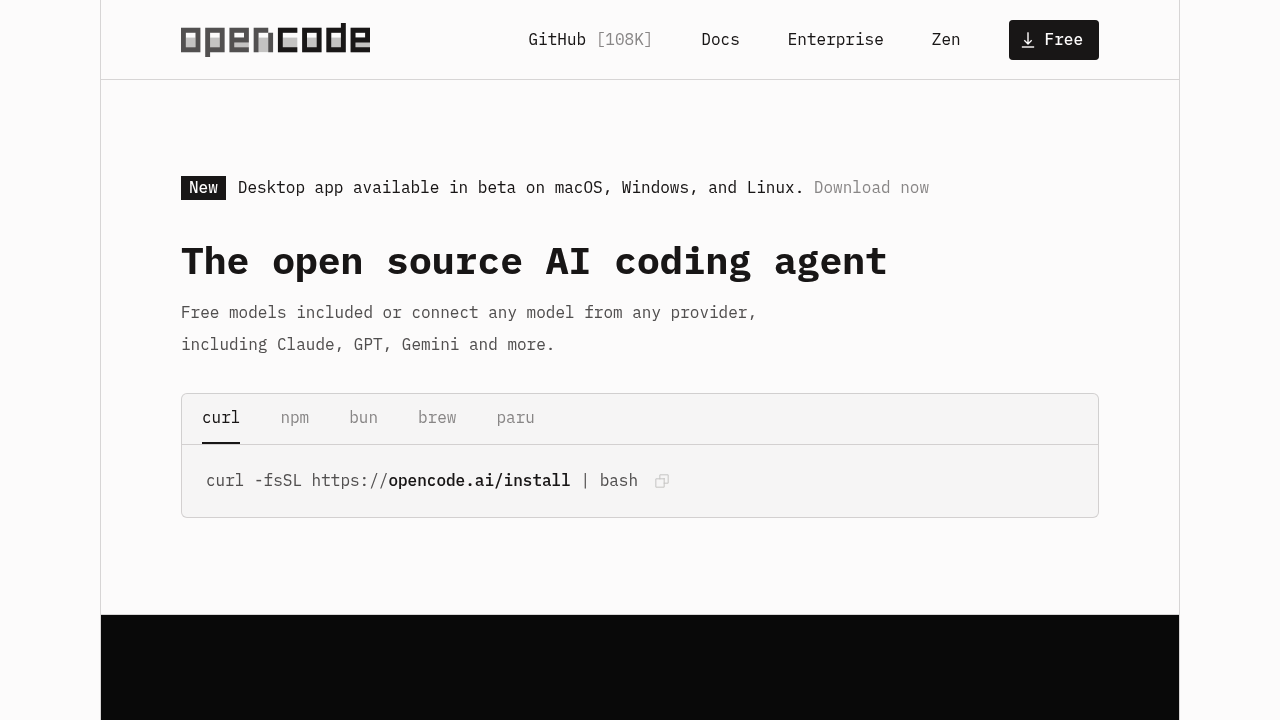
OpenCode is an open source AI coding agent. It reads and edits your code, runs commands and helps you debug, and you can use it from the terminal, a desktop app or the browser. The project is MIT licensed and built by the Anomaly team together with a large community of contributors.
Its main selling point is that it isn't tied to one model vendor. Through Models.dev it connects to a long list of LLM providers, including local models, and you can sign in with an existing ChatGPT Plus/Pro or GitHub Copilot subscription. There are also free models that work without an account, which makes trying it out painless.
In practice you start OpenCode inside a project folder and describe what you want. The agent explores the files, proposes changes or applies them, and you stay in control with permission settings and undo/redo. You can run several sessions in parallel when juggling more than one task.
Key Features
- Available as a terminal UI, a desktop app for macOS, Windows and Linux, and a web session paired from the CLI.
- Works with hundreds of LLM providers via Models.dev, plus local models; add one with the /connect command.
- Extensible with MCP servers, plugins, custom agents, agent skills (SKILL.md) and custom slash commands.
- Runs multiple sessions in parallel so separate tasks don't block each other.
- Permission controls and undo/redo keep the agent's changes reviewable.
- An SDK lets you call it from scripts and CI jobs.
OpenCode is listed among the digital tools in the AI category.
Who Is It For?
OpenCode suits developers who live in the terminal and don't want to be locked into a single AI provider. Typical uses include pointing it at a failing test and letting it trace the bug, scaffolding a new feature across several files, or wiring the SDK into CI for automated fixes. It's also a practical option for people running local models who want an agent without sending code to a third party.
Pricing
OpenCode itself is free and open source. You can start with free models that need no account, bring your own API keys, or log in with an existing ChatGPT Plus/Pro or GitHub Copilot plan. OpenCode Go, a subscription for curated coding models, starts at $10 per month. Provider charges may apply depending on the model you use, so check opencode.ai for current details.
Pros
- Model-agnostic: pick any supported provider or run a local model.
- MIT licensed, so you can inspect and customize the code.
- Terminal, desktop and web options fit different workflows.
Cons
- There's a learning curve if you're not comfortable on the command line.
- Results depend heavily on the model you choose; free models won't handle every task well.
- The interface and docs are English only.
Frequently Asked Questions
Is OpenCode free?
Yes. OpenCode is free and open source, and some free models work without an account. For paid models you can use your own API keys, an existing subscription, or OpenCode Go from $10 a month.
How do I install OpenCode?
Install the CLI with the curl script, npm, bun or Homebrew, or download the desktop app for macOS, Windows or Linux. Then open it in your project folder and connect a provider with /connect.
How is OpenCode different from Claude Code?
OpenCode is MIT-licensed open source and works with many model providers and local models, rather than being tied to one company's models.
Details checked against the official website as of November 2026. Pricing may change.
Alternatives in AI
Similar tools you can try besides OpenCode