MiroMiro
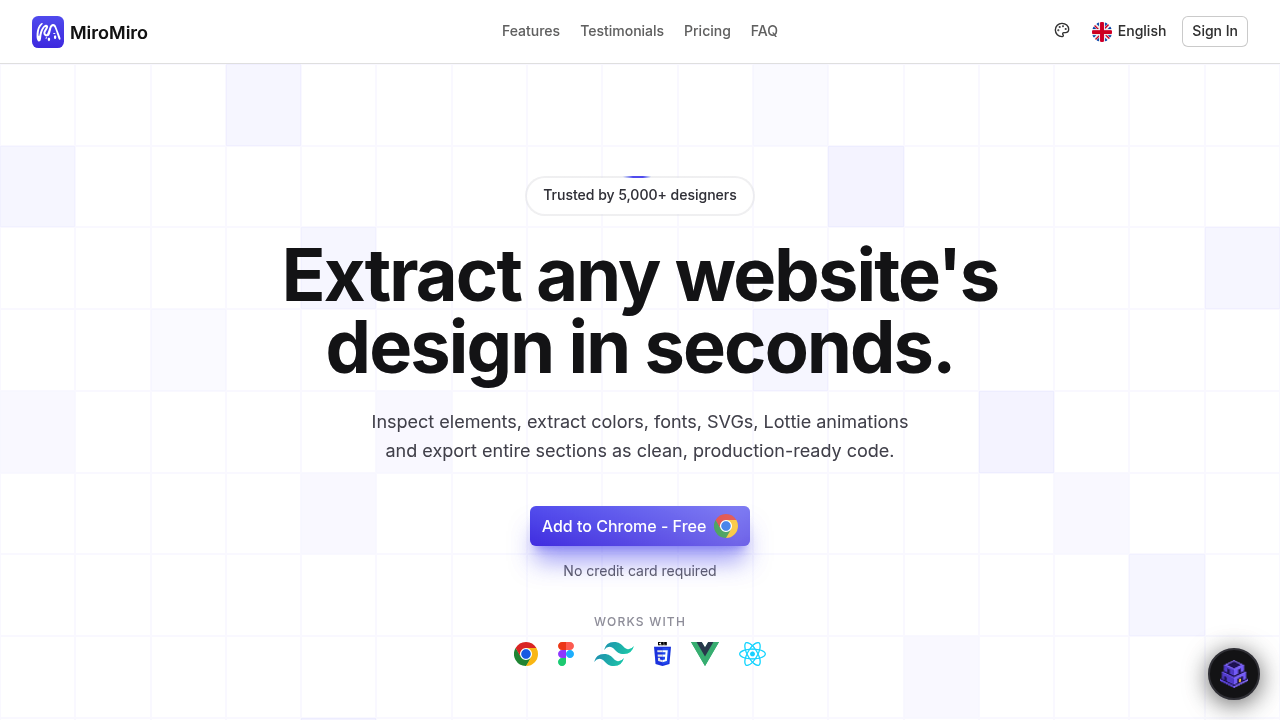
Chrome extension that inspects the CSS, colors, fonts, and SVGs of websites. Extract and export the design details of any page.
Tool Details
| Category | Development / CSS Tools |
| Website | miromiro.app |
| Tags | inspect, CSS, Chrome extension, design |
What is MiroMiro?
MiroMiro is a browser extension for inspecting and extracting the design details of any website. Point it at an element and you see its CSS, fonts and colors, and you can tweak styles live to try ideas out.
It also converts a selected section or a whole page into code. You can export to Tailwind, React, Vue, HTML + CSS or Elementor, and pull a page's colors, gradients, type, shadows and spacing into CSS variables or a Tailwind config.
On top of that it grabs assets such as images, videos, SVGs, fonts and audio at full size, and lets you preview Lottie animations and save them as JSON. For developers there's an API and an MCP server so AI agents can pull the same data from live sites.
Key Features
- Inspect any element's CSS, fonts and colors, and edit styles live.
- Export a section or full page to Tailwind, React, Vue, HTML + CSS or Elementor.
- Extract a design system (colors, type, shadows, spacing) as CSS variables or a Tailwind config.
- Download images, SVGs, video, fonts and audio at full size, and save Lottie animations as JSON.
- Preview pages in 25 device frames.
- Works in Chrome, Edge, Brave, Arc and Opera, with a separate Firefox add-on.
MiroMiro is listed among the digital tools in the Development category.
Who Is It For?
MiroMiro is handy for frontend developers, web designers and people building sites with WordPress and Elementor. Use it to grab a site's color palette and font pairing in seconds, turn a section's structure into Tailwind as a starting point, or download a page's SVG icons without digging through the source. Be mindful of copyright when reusing other people's designs and content.
Pricing
The Free plan covers CSS, font and color inspection, live style edits and 50 image or SVG downloads a month, plus a 3-day Pro trial. Pro costs €72 a year or €12 a month, and a Lifetime license is a one-time €99. All paid plans come with a 30-day refund, and API and MCP access are sold separately.
Pros
- Inspection, code export and asset downloads in one extension.
- Supports modern outputs like Tailwind and React.
- Offers a one-time Lifetime option.
Cons
- The headline features, like code export, require a paid plan.
- Generated code isn't always clean and may need tidying.
- English-only interface, and prices are in euros.
Frequently Asked Questions
Is MiroMiro free?
Basic CSS, font and color inspection plus 50 image or SVG downloads a month are free. Code export and more need Pro (€72/year) or Lifetime (€99).
Which browsers does MiroMiro support?
Chrome, Edge, Brave, Arc and Opera, with a separate add-on for Firefox.
Can MiroMiro convert a website to Tailwind?
Yes, it exports a selected section or full page to Tailwind, React, Vue, HTML + CSS or Elementor. On the free plan this is available only during the trial.
Details checked against the official website as of November 2026. Pricing may change.
Alternatives in Development
Similar tools you can try besides MiroMiro