Mailchimp
Email marketing and automation platform for newsletters, campaigns, and audience segmentation.
Tool Details
| Category | Marketing / Email Marketing |
| Website | mailchimp.com |
| Tags | email, automation, newsletter, marketing |
What is Mailchimp?
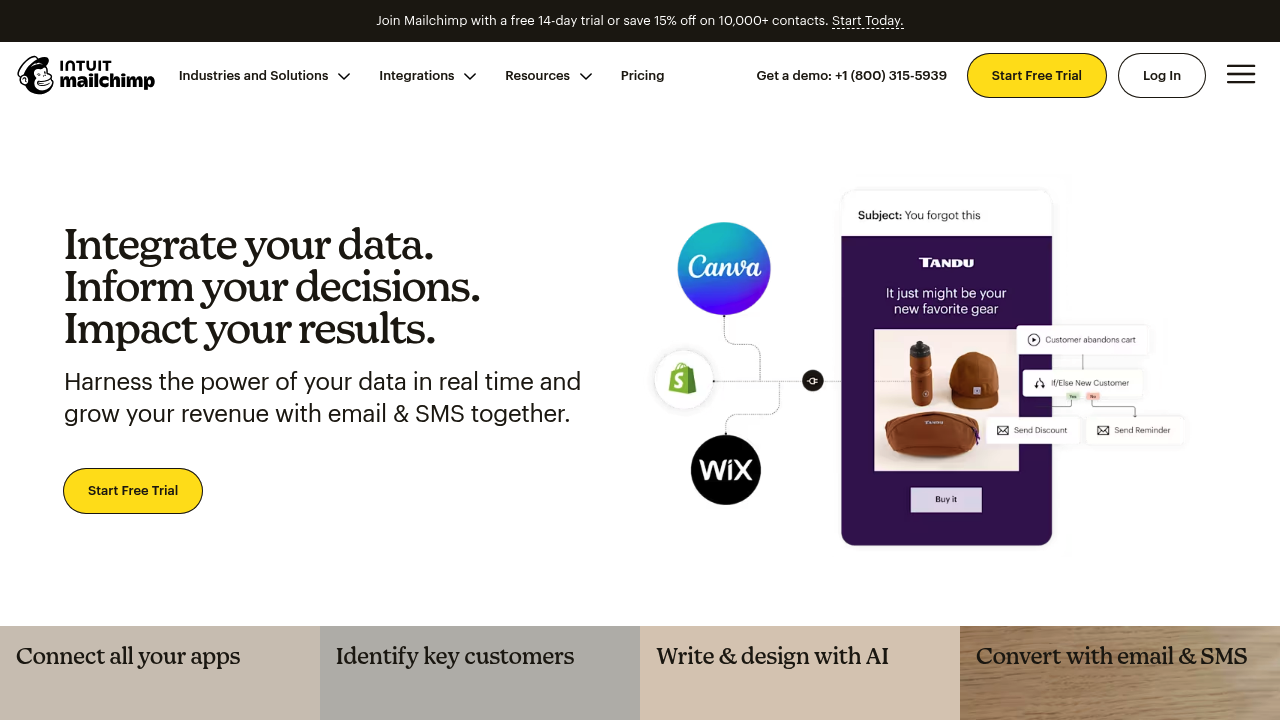
Mailchimp is an email marketing and automation platform owned by Intuit. You import or collect subscribers into an audience, design newsletters and campaigns in a drag-and-drop editor, send them, and then track opens, clicks and revenue in the reports, which helps you refine what you send next.
Much of its value comes from automation. You can build flows like a welcome series, abandoned-cart reminders or birthday emails once and let them run on their own. Tags and segments let you send different content to different groups, and popup and signup forms plus pre-built templates help you get started quickly. It connects to more than 300 apps, including e-commerce platforms such as Shopify and WooCommerce. Higher tiers add generative AI tools, custom reports and dynamic content.
Key Features
- Drag-and-drop email builder with pre-built templates.
- Automation flows such as welcome series and abandoned-cart emails.
- Tags and segments for targeted sends to specific parts of your audience.
- Signup and popup forms for growing your list.
- 300+ integrations with e-commerce, CRM and other tools.
- Reporting on opens, clicks and revenue, with custom reports on Standard and Premium.
Mailchimp is listed among the digital tools in the Marketing category.
Who Is It For?
Mailchimp works well for small businesses, online stores, bloggers and nonprofits that communicate with people by email. An online shop might send automatic reminders when someone leaves items in their cart, a local cafe might send a monthly offers newsletter, and a creator might set up a welcome sequence that introduces new subscribers to their work.
Pricing
The free plan covers up to 250 contacts and 500 sends per month (250 per day), with no automations or scheduling. Paid plans are Essentials (from $13/month), Standard (from $20/month) and Premium (from $350/month with 10,000 contacts), and prices rise with your contact count. Essentials and Standard come with a 14-day trial. Overage charges can apply and pricing varies by region, so check the calculator on Mailchimp's pricing page for your exact cost.
Pros
- A free plan lets you start with a small list right away.
- Mature automation, segmentation and reporting in one place.
- A large library of integrations and templates speeds up setup.
Cons
- Costs climb quickly as your contact list grows.
- The free plan is tight: 250 contacts, 500 sends a month and no automations.
- Advanced features like custom reports, dynamic content and generative AI need Standard or higher.
Frequently Asked Questions
Is Mailchimp free?
There is a free plan for up to 250 contacts and 500 emails a month. Automations, scheduling and bigger lists require a paid plan.
How much does Mailchimp cost?
Paid plans start at $13/month for Essentials and $20/month for Standard at the smallest contact tier, with Premium from $350/month. The price goes up with the number of contacts you store.
How do I use Mailchimp?
Create an account, import your contacts or set up a signup form, then pick a template and design your email. Choose who receives it and send it right away, or schedule it on a paid plan.
Details checked against the official website as of November 2026. Pricing may change.
Alternatives in Marketing
Similar tools you can try besides Mailchimp