FeedSpring
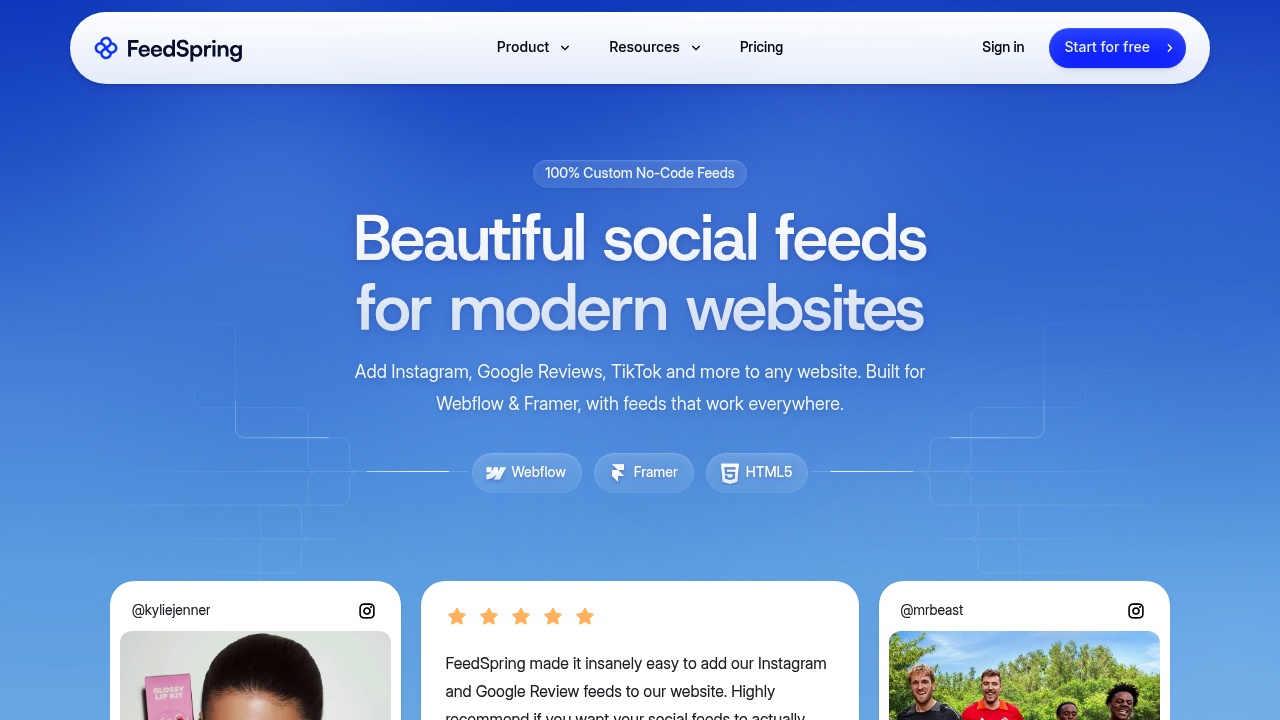
Platform for embedding social media feeds on your website. Integrates Instagram, TikTok, and Google Reviews; supports Webflow and Framer.
Tool Details
| Category | Social Media / Analytics & Content |
| Website | feedspring.com |
| Tags | social media, embed, Webflow, Framer |
What is FeedSpring?
FeedSpring lets you display your social media content as a feed on your own website. Instead of copying Instagram posts, TikTok videos, Google reviews or Dribbble shots onto the site by hand, you connect the account once and FeedSpring keeps the feed current.
It's built with Webflow and Framer users in mind and offers ready-made integrations for both. For other sites there's a developer guide for plain HTML, which means you can style the feed to match the rest of your design rather than living with a generic widget.
The workflow is straightforward: connect your account, create a feed, and drop it onto your site. When you publish something new on the social platform, the feed on your site updates too.
Key Features
- Shows Instagram, TikTok, Google Reviews and Dribbble content as feeds on your site.
- Native integrations for Webflow and Framer.
- An HTML developer guide for other platforms.
- Paid plans include unlimited feed connections and unlimited websites.
- Items per feed range from 8 to 200 depending on the plan.
FeedSpring is listed among the digital tools in the Social Media category.
Who Is It For?
FeedSpring is a good match for designers, agencies and small businesses building on Webflow or Framer. A café could show its latest Instagram posts on the homepage, a service business could display Google reviews as social proof, or a designer could keep a portfolio site in sync with new Dribbble shots.
Pricing
The Free plan includes 1 feed connection, 8 items per feed and 1,000 views a month. Paid plans cost $5 (Personal), $9 (Business) and $57 (Enterprise) per month on annual billing, or $6, $12 and $72 billed monthly. The main differences are items per feed and monthly views (15,000, 50,000 and 1 million).
Pros
- Easy setup on Webflow and Framer.
- A free tier to start, and inexpensive paid plans.
- Feeds update automatically, so there's no manual upkeep.
Cons
- A short list of sources; YouTube, Facebook and X aren't supported.
- Monthly view limits may push busy sites onto higher plans.
- Interface and docs are in English only.
Frequently Asked Questions
Is FeedSpring free?
Yes, there's a free plan with 1 feed connection, 8 items per feed and 1,000 views a month. Paid plans start at $5 a month billed annually.
How do I add an Instagram feed with FeedSpring?
Connect your Instagram account in FeedSpring, create a feed, then embed it using the Webflow, Framer or HTML integration.
Which platforms does FeedSpring work with?
It has native integrations for Webflow and Framer, and you can use HTML for other sites.
Details checked against the official website as of November 2026. Pricing may change.
Alternatives in Social Media
Similar tools you can try besides FeedSpring