ClickUp
ClickUp is a project management platform that brings tasks, docs, goals, time tracking and team chat into one app. You can view the same tasks as a list, Kanban board, calendar or Gantt chart and add automations, with the ClickUp Brain AI assistant on paid plans. The Free Forever plan is free but limits storage and automations.
Tool Details
| Category | Productivity / Project Management |
| Website | clickup.com |
| Tags | project management, task tracking, documents, time tracking |
What is ClickUp?
ClickUp is a project management platform that aims to bring tasks, docs, goals, time tracking and team chat into one app. It's pitched at teams who would rather not juggle separate tools like Trello, Asana, Notion and Slack.
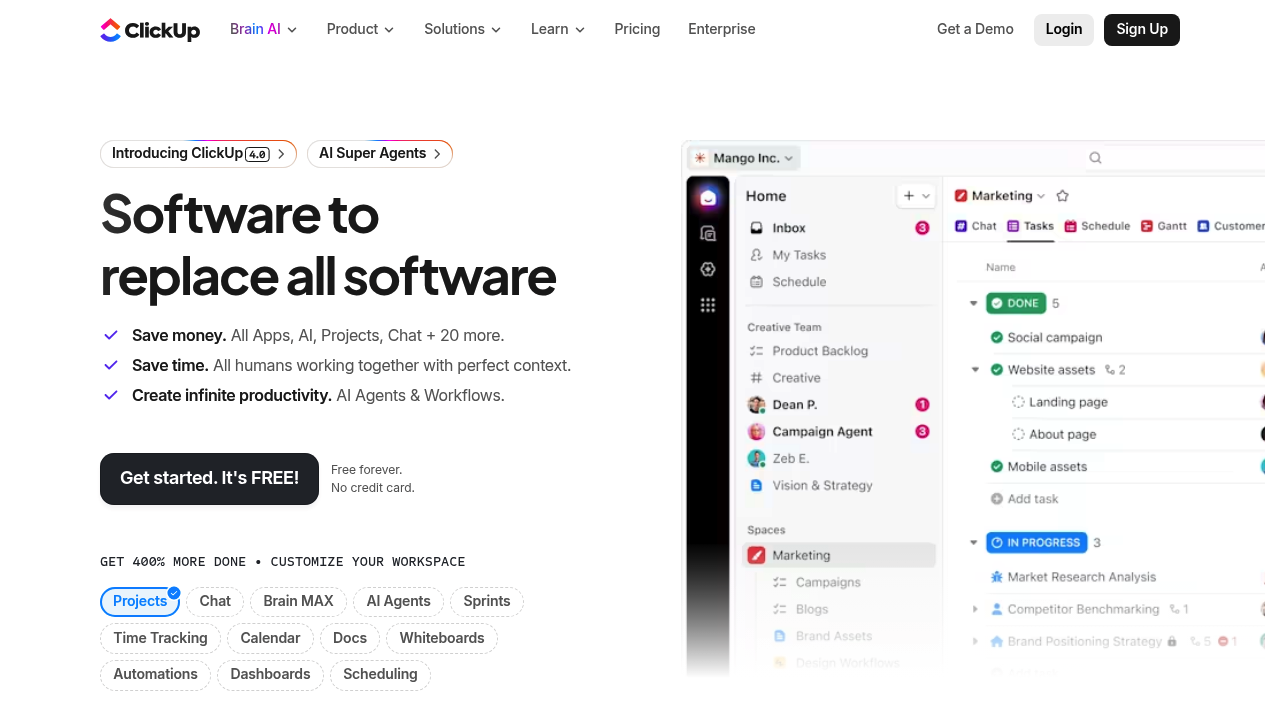
Work is organized hierarchically: a workspace holds Spaces, which contain folders and lists, which contain tasks. The same tasks can be viewed as a list, Kanban board, calendar, Gantt chart or table. You can add assignees, due dates, priorities and custom fields, and set up automations for repetitive steps.
Docs, whiteboards, dashboards and chat round out the platform. ClickUp Brain, the built-in AI assistant on paid plans, helps summarize tasks, draft text and search across your workspace. The trade-off for all this breadth is a learning curve, but teams that commit to it can replace several separate apps with one.
Key Features
- List, Kanban, calendar, Gantt and table views of the same tasks.
- Assignees, due dates, priorities and custom fields on tasks.
- No-code automations for repetitive work.
- Docs, whiteboards and dashboards alongside your tasks.
- Built-in time tracking and goal tracking.
- ClickUp Brain AI assistant on paid plans.
ClickUp is listed among the digital tools in the Productivity category.
Who Is It For?
ClickUp suits agencies juggling many projects, software and marketing teams, and freelancers who want to get organized. Examples include running sprint planning on a Kanban board, tracking each agency client in its own Space, or planning a content calendar with tasks and docs side by side.
Pricing
The Free Forever plan costs nothing but limits storage to 60 MB, caps Spaces and automations, and excludes AI features. Billed annually, per-user monthly prices are listed as $9 for Core, $17 for Business and $100 for Max, with higher rates on monthly billing. Enterprise is custom. Paid plans include a monthly ClickUp Brain credit allowance per user, and extra credits cost $10 per 10,000.
Pros
- Tasks, docs, goals and time tracking in one app.
- Many views and customization options to fit different workflows.
- A free plan that's enough for small teams to try it out.
Cons
- So many features that the learning curve is steep and the interface can feel busy.
- Low storage and automation limits on the free plan.
- AI features require a paid plan.
Frequently Asked Questions
Is ClickUp free?
Yes, ClickUp has a Free Forever plan. It has tight storage and automation limits and doesn't include AI features.
What is ClickUp used for?
ClickUp helps teams plan and track tasks, projects, docs and goals in one place.
Does ClickUp have AI features?
Yes, ClickUp Brain is available on paid plans, each of which includes a monthly AI credit allowance per user.
Details checked against the official website as of November 2026. Pricing may change.
Alternatives in Productivity
Similar tools you can try besides ClickUp